100% Private · Runs Locally · No Cloud

Your AI.
Your Machine.

Run powerful language models privately on your Mac. Chat, write code, design apps — all without sending a single byte to the cloud.

Powered by open-source models you can trust

Qwen
Qwen
Llama
Llama
Mistral
Mistral
DeepSeek
DeepSeek
Gemma
Gemma
Phi (Microsoft)
Phi
Features

Everything you need.
Nothing leaves your machine.

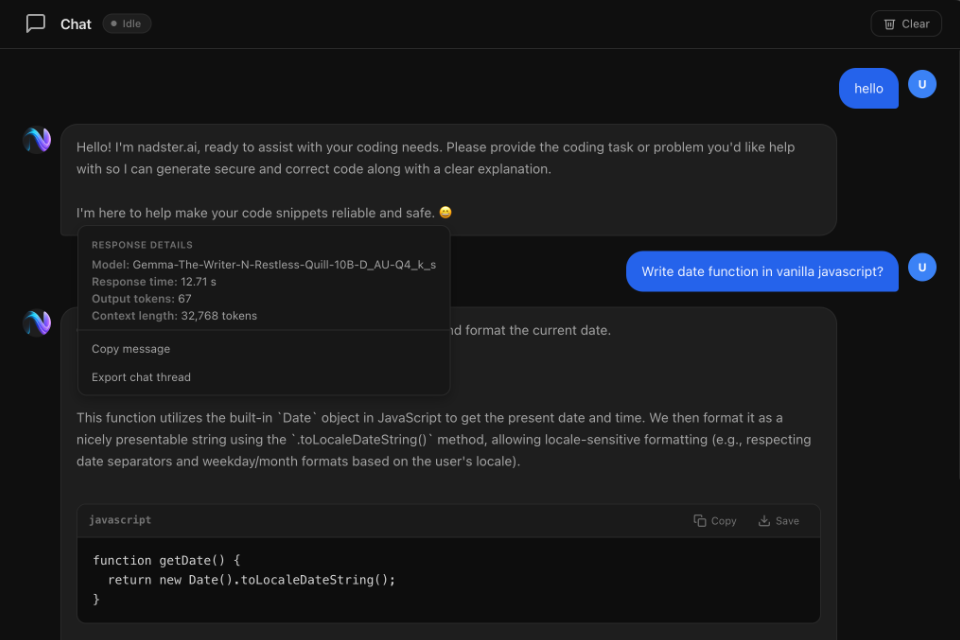
AI Chat

Have natural conversations with a local AI. Ask questions, brainstorm ideas, get instant answers — all private.

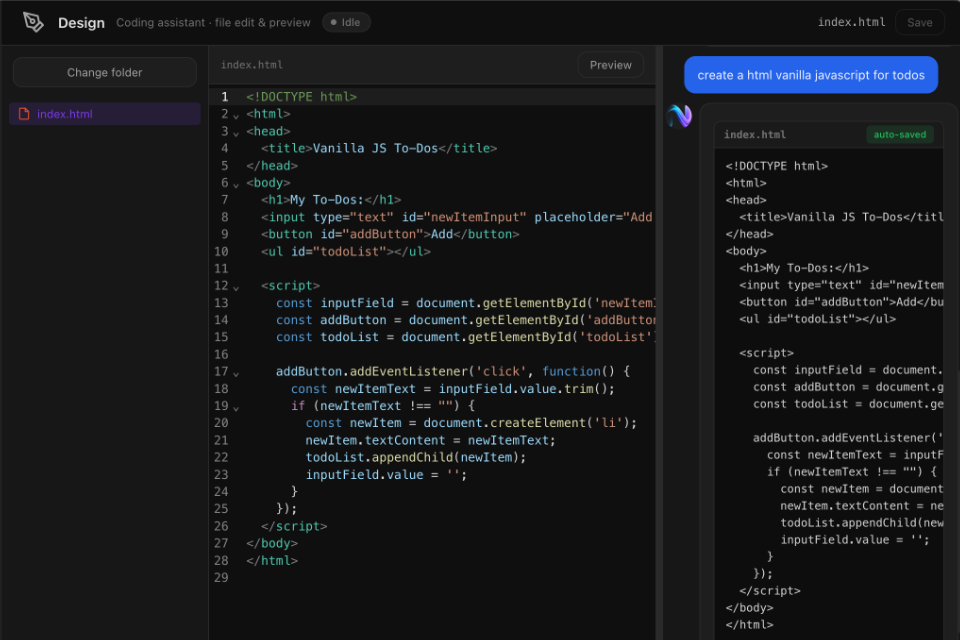
Design Mode

Let AI create and edit files for you. Build apps, write code, and preview results in a built-in editor with live preview.

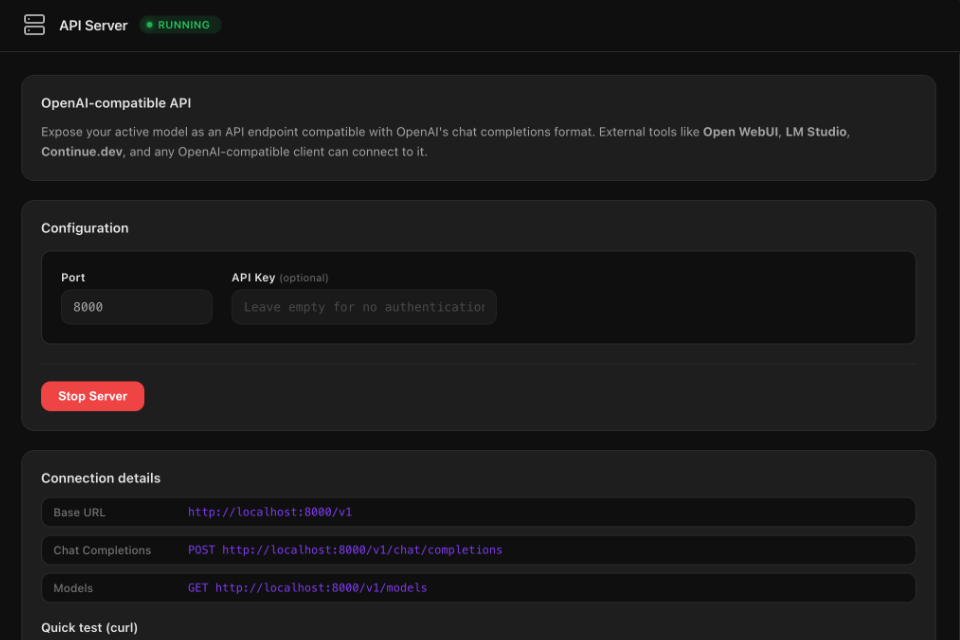
API Server

Expose your model as an OpenAI-compatible API. Connect Open WebUI, Continue.dev, or any tool that speaks the OpenAI format.

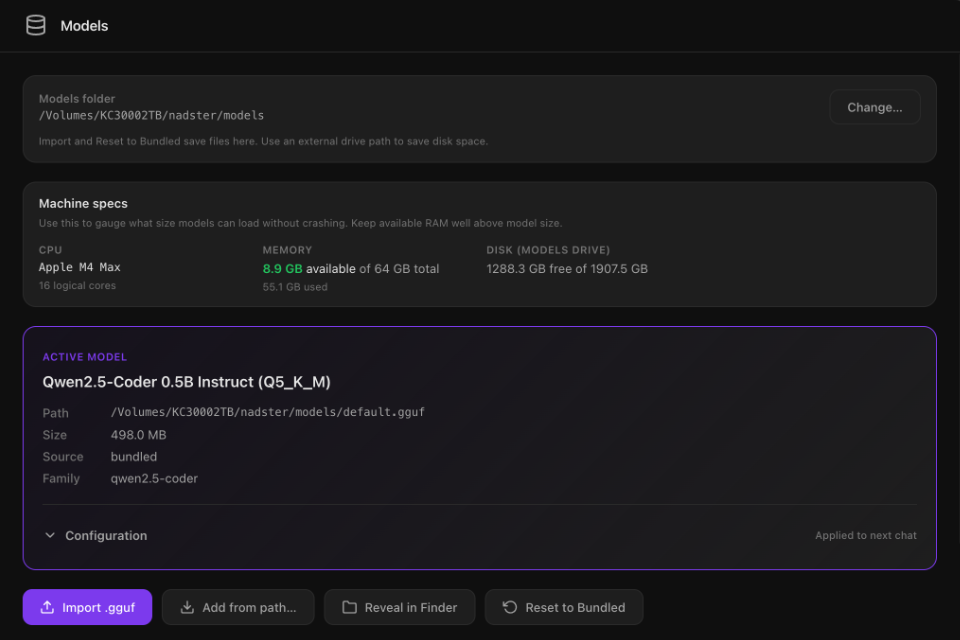
Model Store

Browse and download optimised models from the built-in store. Filter by size, see RAM requirements, one-click install.

100% Private

Every prompt, every response stays on your machine. No telemetry, no cloud calls, no data collection. Period.

Runs on Apple Silicon

Optimised for M1/M2/M3/M4 Macs with Metal GPU acceleration. Fast inference even on entry-level hardware.

IoT Tools

Sketches, serial monitor, and flash tools for microcontrollers. Prototype and upload code to boards from the app.

Free Updates

Subscribers get ongoing support and free upgrades. Lifetime includes minor updates and half-price major releases.

Models Your Way

Store models on an external drive, manage format templates, and control loading options. Full control over where and how models run.

See it in action

Built for real work.

Chat mode

Chat

Natural conversation with your local AI assistant.

Design mode

Design

AI creates and edits code files with live preview.

Model Store

Model Store

Browse, download, and manage AI models in one place.

API Server

API Server

OpenAI-compatible endpoint for external tools.

How it works

Up and running in minutes.

1

Choose & Subscribe

Pick Basic (£3/mo), Pro (£5/mo), or go Lifetime (£45). Pay securely, then download.

2

Install & Log in

Drag to Applications, launch, and sign in with the account you created at checkout.

3

Start Using AI

Chat, create apps, or connect external tools. Everything stays on your Mac.

Pricing

Choose your plan. Pay monthly or go lifetime.

Subscriptions include ongoing support + upgrades. Lifetime includes all features with 3 months support.

Prices shown in GBP. Cancel anytime on monthly plans.

Basic

For chat + building + local models.

£ 3 / month
  • AI Chat
  • Design mode (code + preview)
  • Models Catalogue (download & import GGUF)
  • Runs 100% locally (Apple Silicon / Metal)
  • Full support
  • Free upgrades
Start Basic — £3/mo
Pro (Lifetime)

Best for long-term use. Limited support.

£ 45 one-time
  • All Pro features (Chat, Design, Models, API Server, IoT)
  • 3 months support
  • Free minor updates
  • Major upgrades half-price (e.g. v2)

Major upgrades = significant new version releases (e.g. v2).

Buy Lifetime — £45
Enterprise

For teams, volume licensing, custom deployment.

Contact
  • Team & volume licensing
  • Custom deployment & support
  • SLA & dedicated help
Contact us

Secure payment via Stripe. Instant access after purchase. Enterprise: we’ll get back to you.

FAQ

Questions & answers

What models can I run?

Any GGUF-format model. The built-in store has popular models like Qwen, Llama, Mistral, DeepSeek, Gemma, and Phi — optimised for different RAM sizes. You can also import any GGUF model from Hugging Face.

Does it need an internet connection?

Only to download models from the store. Once downloaded, everything runs 100% offline on your Mac. No data ever leaves your machine.

What Mac do I need?

Any Mac with Apple Silicon (M1, M2, M3, M4) and at least 8 GB of RAM. More RAM = larger models. Even the base M1 MacBook Air can run smaller models comfortably.

What is the API Server feature?

It turns your local model into an OpenAI-compatible API endpoint. Tools like Open WebUI, Continue.dev (VS Code), LM Studio, or any OpenAI client library can connect to it — all running locally.

What is the IoT feature?

IoT tools (Pro plan) let you write sketches, use the serial monitor, and flash code to microcontrollers (e.g. Arduino-compatible boards) from inside nadster.ai. Connect a board via USB, edit code, and upload — no separate IDE needed.

How does pricing work?

We offer monthly subscriptions (Basic £3/mo, Pro £5/mo) with full support and free upgrades, or a one-time Lifetime purchase (£45) with 3 months support and free minor updates. Cancel monthly plans anytime. Enterprise: contact us for volume licensing.

Can I get a refund?

If nadster.ai doesn’t work on your Mac, contact us and we’ll refund you — no questions asked.

Your AI. Your rules.
Get started from £3/mo.

Download nadster.ai